
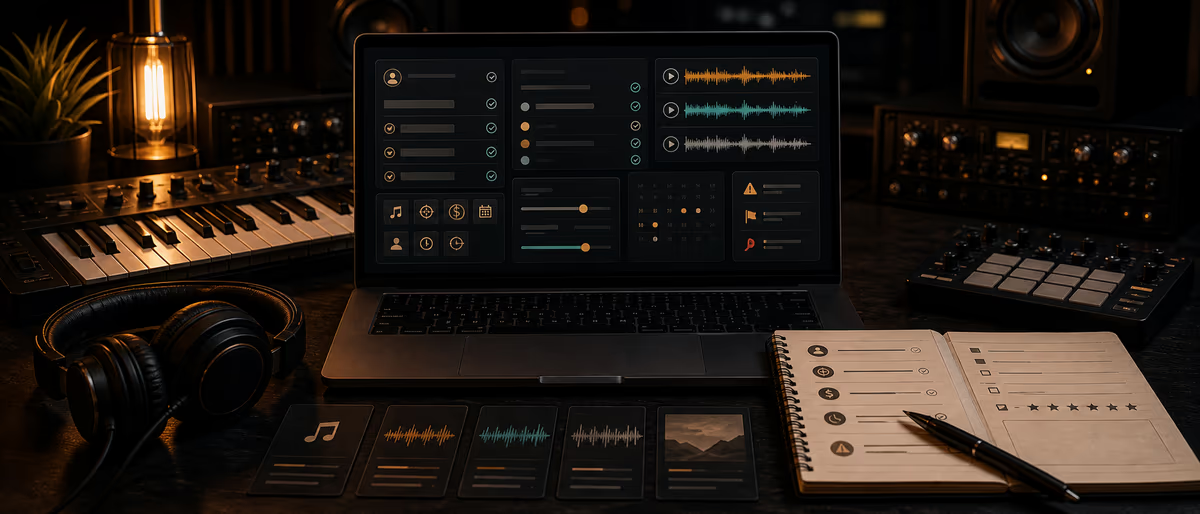
Producer intake form
Réponse rapide
An intake form captures scope, references, deadlines, files, budget, and rights before you quote or open a session. Use the copy-paste field lists below for mix/master, custom beats, vocal production, and remote sessions so Discord DMs stop being your project management system.
Why Intake Beats Infinite DMs
Clients are not trying to waste your time — they do not know which details change price and quality. A good form asks once, stores answers with the project, and becomes the brief you both reference when revisions get fuzzy (“but I said warmer”).
Use one form with conditional sections, or four short forms. Below is copy-paste ready field copy.
Universal Fields (Every Service)
- Full name Short text. Required.
- Artist / project name Short text. Required.
- Email Email validation. Required.
- Phone / WhatsApp (optional) Short text. For session days only.
- Timezone Dropdown or short text (e.g. America/New_York). Required for live sessions.
- Service requested Single select: Mix | Mix+Master | Master only | Custom beat | Vocal production | Remote vocal session | Other.
- How did you find me? Single select: Instagram, YouTube, Referral, Beat store, Google, Other — plus optional detail.
- Hard deadline Date. “When must files be in your hands?” Required.
- Soft preferences date Date optional. “Ideal delivery if possible.”
- Budget range (USD) Single select: Under 100 | 100–250 | 250–500 | 500–1000 | 1000+ | Not sure — need quote. Required.
- Commercial use? Yes/No + “Where will this be released?” (DSP, YouTube, sync, private).
- File upload / link URL field: Drive, Dropbox, WeTransfer. Instructions: “Folder must stay available 30 days.”
- Anything else? Long text. Optional catch-all.
- Agreement Checkbox: “I confirm I have rights to the materials I upload and accept that work starts after deposit/quote approval.” Link your terms.
Mix / Master Section (Copy-Paste)
- Song title Short text. Required.
- Genre / subgenre Short text + optional tags.
- BPM and key Short text. “Unknown” allowed.
- Reference track 1–3 (links) URL fields. “What should this feel like commercially?”
- Mix notes — must fix Long text. “List problems in priority order.”
- Mix notes — do not change Long text. “Creative choices to preserve.”
- Vocal tuning already done? Yes / No / Partial.
- Stem count estimate Number or ranges: 1–16 | 17–32 | 33–48 | 48+.
- Sample rate / bit depth of session Dropdown: 44.1/24 | 48/24 | 96/24 | Other.
- Delivery needs Multi: Stereo mix WAV, Streaming master, Instrumental, TV track, Stems print, Fresh 24-bit unmastered.
- Loudness target preference Optional: “Match reference” | “Leave headroom for mastering” | “Specific LUFS ___.”
- Revision expectation Display your policy text: e.g. “2 revision rounds included; define round.”
Custom Beat / Production Section
- Primary genre + 3 reference songs Links required.
- Mood keywords Up to 5 words (dark, triumphant, dusty…).
- Tempo range e.g. 138–145 BPM.
- Key preference Text or “producer’s choice.”
- Song structure needs Intro length, hooks, bridges, outro — or “standard.”
- Vocalist gender / range notes Optional guidance for melody space.
- Must-include elements 808 style, live guitar, choir, etc.
- Hard avoids Sounds/genres they reject.
- License intent Non-exclusive lease style / exclusive / work-for-hire discussion. “Final terms in contract.”
- Usage plan Single, EP, content only, sync exploration.
- Sample clearance comfort Original only | Cleared packs OK | I will clear samples | Unsure.
Vocal Production / Remote Session Section
- Session type In-person | Remote directed | Async vocal production only.
- Remote tools available Multi: Audiomovers/LISTENTO | Sessionwire | Zoom (talk only) | Other.
- Artist interface / mic (if known) Short text.
- Internet Wired | Wi-Fi only | Unknown.
- Sample rate preference 48 kHz | 44.1 kHz | Match instrumental.
- Instrumental link + BPM/key Required for sessions.
- Lyric sheet link URL. Optional but recommended.
- Tuning / timing preferences Natural | Tight modern | Heavy effect — describe.
- Preferred session windows 3 options with timezone.
- Who presses record? Confirm understanding: local mic host records masters.
Auto-Reply and Routing Rules
- On submit
Send email: “Received — review within X business days. Do not send alternate Dropbox trees until we confirm.” - Tag by service
CRM or sheet columns: service, deadline, budget_band, status=new. - Quote SLA
Under 250 budget band → template reply; 1000+ → personal video/voice note optional. - Decline path
If deadline < your minimum turnaround, auto-suggest later date or pass. - Archive
Store form PDF + file links in project folder named YYYYMMDD_Artist_Song.
Red Flags in Submissions
- No deadline + “ASAP” in notes Force a date before scheduling.
- Budget under 100 for 48+ stems mix Scope mismatch — educate or decline.
- Unclear rights on samples/vocals Pause until ownership is clear.
- References that contradict each other wildly Schedule a 10-min alignment call.
- Files as 50 random voice memos Request structured folder before clock starts.
Where to Host the Form
| Tool | Pros | Cons |
|---|---|---|
| Google Forms | Free, fast | Limited logic/branding |
| Typeform / Tally | Better UX, logic jumps | Paid tiers |
| Notion forms | Lives near CRM | Depends on stack |
| Your site form | Brand control | You maintain spam protection |
After delivery, send a short feedback survey — see artist feedback survey template. For remote vocal days, pair intake with remote session setup.
Iterate Fields from Failed Jobs
Every time a project goes wrong, ask: which answer was missing? Add one field or helper text — do not grow the form into a novel. Quarterly, remove questions nobody uses.
Keep the form linked from your rate card and Instagram bio button with UTM tags so you know which channel sends serious briefs.
Standardize client intake — more producer business guides on Plugg Supply Learn.
Learning path
Answer hubs associés
Questions fréquentes
- What is a producer intake form?
- A structured questionnaire that collects scope, references, deadlines, files, budget, and rights info before you quote or start work.
- Should mix and beat clients use the same form?
- Share universal contact/deadline/budget fields, then branch into service-specific sections.
- What fields are mandatory?
- Contact email, service type, deadline, budget band, file/link, and a rights confirmation checkbox are the minimum.
- How long should the form be?
- Aim for under 10 minutes. If abandonment is high, split into shorter service-specific forms.
- Can I use Discord instead?
- Chat is fine for clarifications, but the source of truth should be the submitted form export stored with the project.
- When do I send the form?
- After the first serious inquiry and before a firm quote or calendar hold.